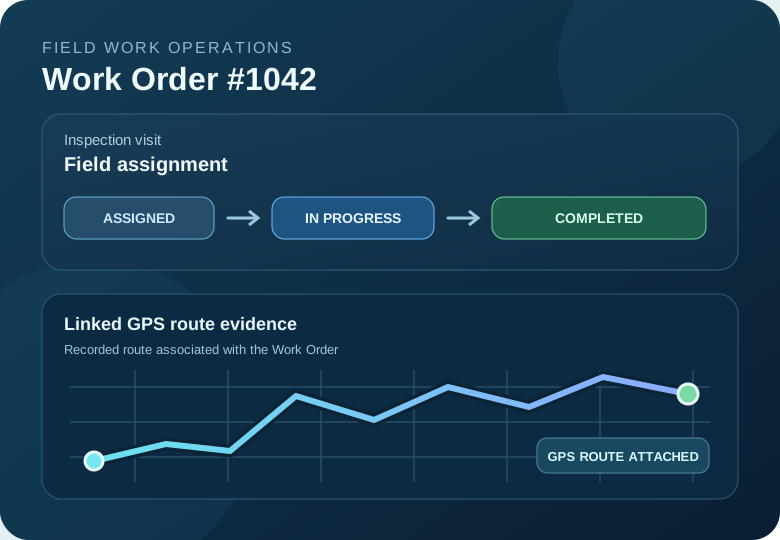
Field service teams need more than a task list. Supervisors want to know who was assigned, how a job progressed and what field activity was recorded. Track Reporter brings Work Orders together with GPS route recording and shared fleet history.
Use the Work Orders workflow for site inspections, maintenance visits, property checks, patrols and other assignments where a recorded visit can help support a completion review.
What Is a Field Service Work Order?
A field service Work Order is a job assigned to a person or team, such as inspecting a property, checking a construction site or completing a maintenance visit. It helps connect the assignment, responsible worker, progress and completion review in one place.
Track Reporter adds a useful field-work dimension: a worker can record a GPS route and associate that recorded session with the Work Order. A route shows where the device traveled during recording; photos and reports can provide additional context when available.
How Work Order Management Works in Track Reporter
Create a Work Order
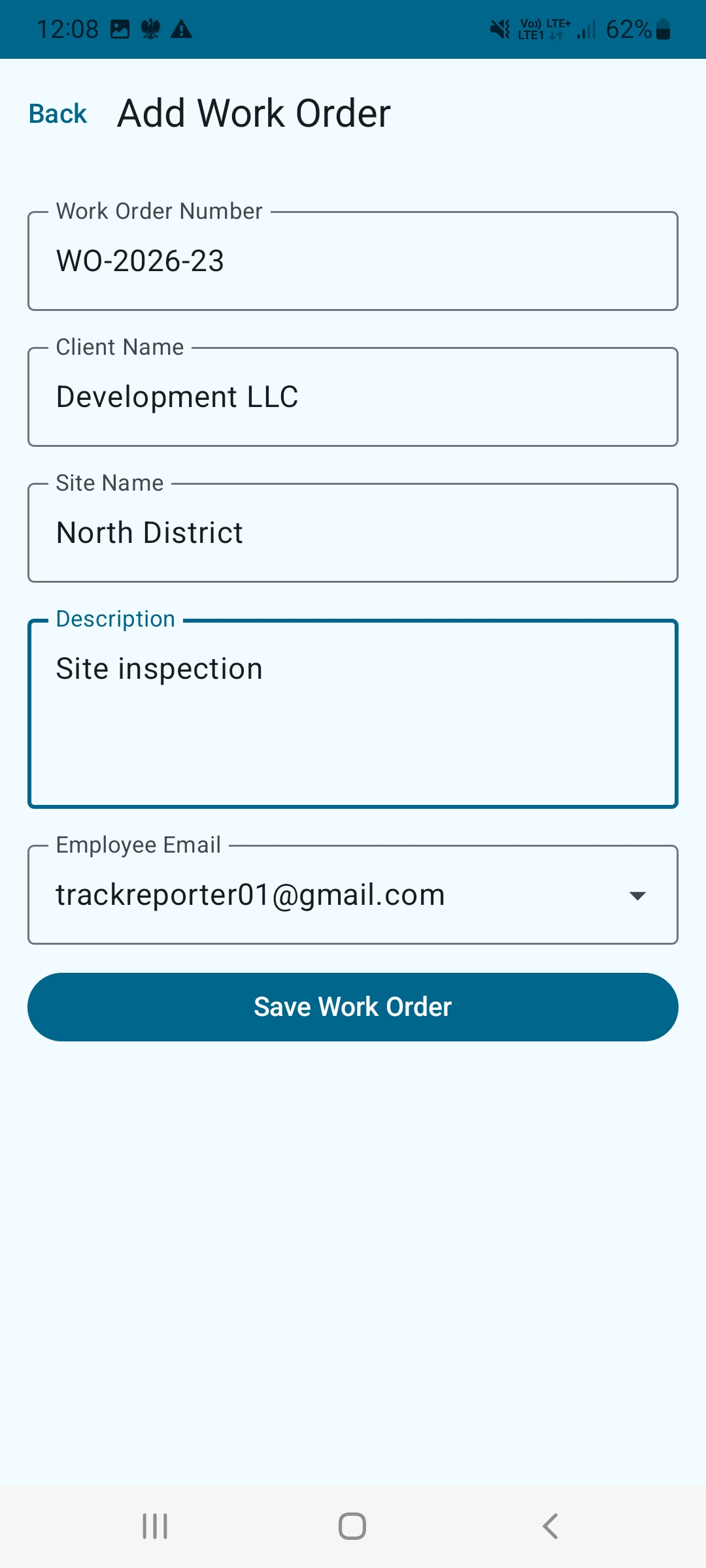
A fleet administrator creates a job for a field visit or task. Enter the Work Order number, client name, site name and a clear description of the field assignment.
Assign the Job to a Fleet Member
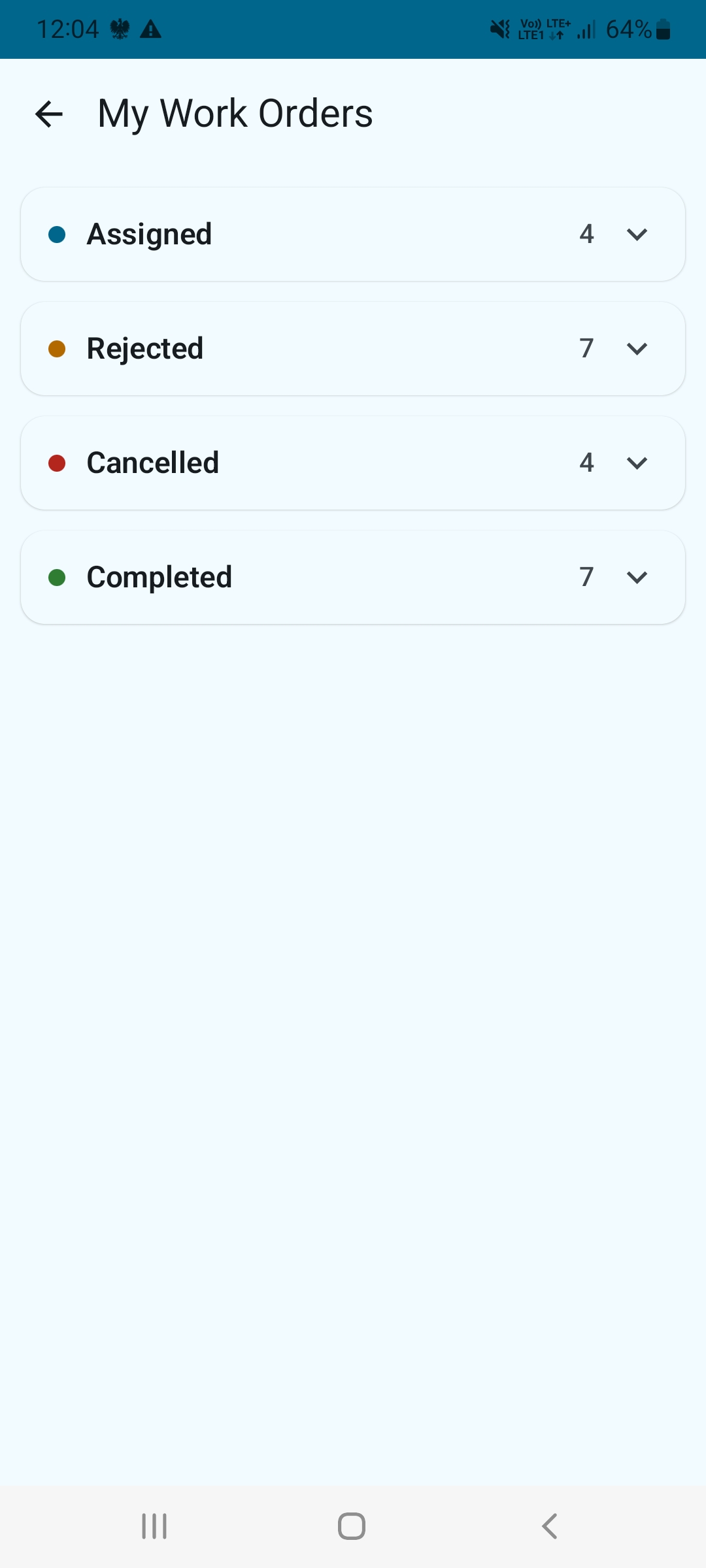
Select the responsible employee by email. After the assignment is saved, the member can open My Work Orders and review the job details.
Update Work Order Progress
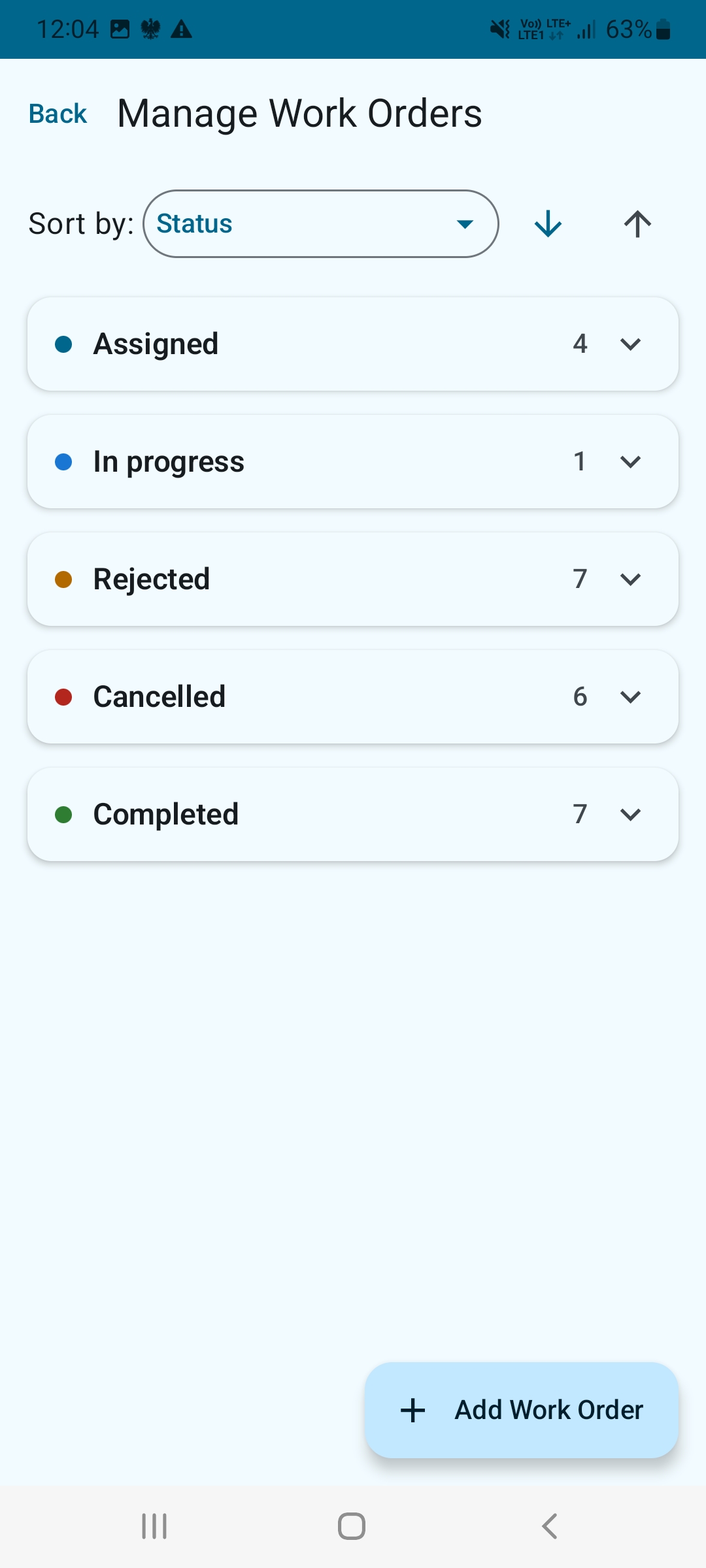
Review grouped statuses such as Assigned, In Progress and Completed to distinguish pending jobs from active and finished work. Administrators use Manage Work Orders, while assignees see My Work Orders.
Record a GPS Route and Link It to the Job
Record a field visit with the Android app, then select a recorded route to associate with the relevant Work Order. This connects a particular assignment with route history rather than leaving the evidence in a separate list.
Review the Completed Work
Fleet administrators can review the Work Order status and the associated recorded route. Where a route includes photos or other session details, those records can help explain the field activity.
Work Order Management in the Track Reporter App
These screenshots show the actual Android interface for creating field assignments and managing work from both sides: fleet administrator and assigned employee. Select an image to open it at full resolution.

Understand Work Order Statuses
Clear statuses make it easier to see which assignments still need attention. Track Reporter uses these Work Order states:
A job has been assigned to a fleet member.
The assigned job is being worked on.
The job has been marked as completed.
The assigned job has been rejected, with a reason when provided.
The Work Order has been cancelled, with a reason when provided.
Fleet administrators can also reopen a Work Order when additional work or review is needed.
Why Link GPS Routes to Work Orders?
Traditional task lists show whether someone marked a job complete. A linked GPS route adds context about the recorded field visit, including the route and timing. If photos were captured during the session, they can provide visual context for the work.
Site inspections
Associate a site visit with a specific inspection assignment and review its recorded route.
Maintenance visits
Keep a clearer connection between a service job and the field session performed for it.
Property checks
Review visit history for assigned checks across multiple locations.
Field operations
Combine assigned work, job status and route evidence within a fleet workflow.
A recorded route indicates device movement during a session. It does not independently verify the quality of an inspection or that every required task was performed. Review the job details and supporting documentation together.
Android Work Orders and the Fleet Web Experience
The Android app supports field activity, Work Orders and GPS route recording. Track Reporter also provides a browser-based fleet experience for managing and reviewing field operations. Available actions can differ between the Android and web interfaces.
Route recording can continue offline in the Android app. Internet access is needed for online fleet features and synchronization; offline route recording should not be confused with offline Work Order synchronization.
Frequently Asked Questions
Can I assign Work Orders to fleet members?
Yes. Fleet administrators can create and assign Work Orders to members of their fleet.
Can I attach a previously recorded GPS route to a Work Order?
Yes. Track Reporter supports selecting a recorded route and associating it with a Work Order.
What Work Order statuses are available?
Assigned, In Progress, Completed, Rejected and Cancelled. Administrators can also reopen a Work Order when needed.
Does a GPS route prove that every task was completed?
No. A route documents recorded movement and can support a review, but completion should be assessed alongside the job requirements and other available evidence.
Is Track Reporter a vehicle telematics platform?
No. Track Reporter focuses on field work documentation, Work Orders, GPS routes, photos and shared fleet activity rather than vehicle hardware or engine diagnostics.
Connect assigned work with recorded field activity.
Use Track Reporter to organize field Work Orders, record GPS routes and review work in context.